Showing posts with label Pear Deck. Show all posts

Tuesday, November 5, 2019

#purpose

When we selected our #oneword earlier this year, I selected #purpose. With a new role in BISD, I knew I wanted to keep purpose at the forefront of my mind both in telling our story and in supporting my colleagues and students in teaching and learning. With a full calendar (or an impending state assessment) it's easy to let the important get hijacked by the urgent. The struggle to keep purpose on the front burner is real!

So when I read this post by Two Writing Teachers, I was blown away by the teacher's ability to keep purpose (equipping her students with the tools to conduct effective peer conferences) at the forefront of her mind as she intentionally took instructional time to teach the soft skills that would eventually make their peer conferences awesome. I so admire her courage in looking at the calendar and not succumbing to the temptation to just check the box for "doing" the peer conference. The time she took to break down the skill will pay off big dividends as the year progresses. I hope you read her post so you can see her craft first-hand, but if you don't, I want to encourage you to be equally courageous. The time you take to equip the kids with the skills they'll need to safely carry a Chromebook, be a responsible digital citizen, or to work in a collaborative group is time well spent. #breakitdown

Blended Learning Spotlight: Pear Deck & & More 

I love opening emails from Pear Deck. They've always got something new for teachers and kids. This week they shared new templates for our littlest learners. I have started a list of teachers who are ready to use the heck out of the paid version of Pear Deck. If you're using the free version regularly and are ready to move to the next level with Pear Deck, please email me before Thanksgiving.


ESL Spotlight

A great big Bulldog thank you to Jan Groff for passing along the link to a thirty-minute webinar for 5 Evidence-Based Strategies for English Learners.  If you can't make the webinar on November 14, register to receive a link to the recording.

Another big Bulldog thank you to Stephanie Jones and Yessenia Torres who are taking four parents of English learners to Region 20 for a Parent Conference this week.


Tuesday, September 24, 2019

September 24, 2019


Wells Fargo has a “money skills for life” curriculum with lesson plans tied to the TEKS. Patty Fougerat is our local bank manager. Please reach out to her if you would like to partner with Wells Fargo for financial literacy. https://handsonbanking.org/

Google Classroom: Tips & Tricks


https://youtu.be/JqZwERp-EOI

Google Classroom just keeps getting better and better. Whether you are a veteran Google Classroom user or a newbie, THIS website provides great tips and tricks for maximizing the tools available and streamlining your grading process. 

Formative Assessment Spotlight: Following Up On Sandy Snow's Visit Last Week

In several of her sessions, Sandy mentioned the Frayer Model. Here are some options for using Frayer in the classroom and with technology. And HERE is a resource from ESC 20.

If you need another copy of Sandy's yellow sheet of formative assessments, you can access the sheet HERE. Sandy will be back to BISD on Monday, October 14, 2019. (That's our Monday inservice day.)

Digital Learning Spotlight: Pear Deck + Newsela? Yes, please!

I am a big fan of Pear Deck, a Google Slide add-on. Pear Deck allows student-led and teacher-led learning opportunities, has the potential to increase student engagement, allows students to engage in learning in a variety of ways, and if the teacher wishes, the notes from a session can be added to each individual student's Google Drive. Last week, Pear Deck's blog announced a partnership w/ Newsela. So, if you are using Newsela and have access to computers, this something you're going to want to try out! (10 BISD teachers have paid subscriptions to Pear Deck. If you are a frequent Pear Deck user, sign up for their thirty-day free trial, and let me know how you like it! I'd love to purchase more subscriptions for teachers who regularly use the tool to engage their students and personalize learning.)

Gifted and Talented Spotlight: Things To Consider

The Texas State Plan for the Education of Gifted and Talented Students was revised in April this year. Districts, campuses, and classroom teachers are being asked to address the needs of this special population in more specific and transparent ways.

TEA's increased specificity on servicing GT students gives us the opportunity to ask important questions:

  • What accommodations are we making to modify the curriculum that is offered to all students to provide depth, complexity, and choice for gifted students? How do we document those accommodations?
  • What opportunities do we offer students to accelerate learning? (Are we pre-assessing students to determine if and when acceleration is appropriate?)
Looking for an easy way to offer your students that depth and complexity on a regular basis? Select one of the Depth and Complexity icons to guide your conversation. Frame your questions to prompt thinking about trends, patterns, ethics, changes over time, and relationships across disciplines.


Monday, March 4, 2019

Pear Deck, Extension Activities, Station Rotation

Pear Deck: Now Is The Time to Try It!

Pear Deck is a web-based application that magnifies the power of Google Slides to improve student engagement, inspire active learning, and facilitate formative assessment.  In addition, it offers a pretty cool feature that supports student learning when the class ends. When the teacher ends the Pear Deck session, the interactive slides that the student used during class can be added to the student's Google Drive so the student can access them later for study tools. That takes notetaking to a new level!  

Pear Deck is a freemium product, which means that some features are accessible for free, while others are accessed only through a subscription. Pear Deck is offering a 3-month promo code that will take your classes nearly through the end of the year, so now is a perfect time to try it out. Talk to the teachers who attended TCEA. They experienced it first hand throughout the conference, and many have been using it in their classrooms with great success. 


Busy Minds are Happy Minds

Looking for activities to engage students' minds when the work is done? Design challenges, extension activities, and reading all fit the bill, but if you're looking for an online activity to allow the students to explore new ideas, check out this Twitter post shared by Dixie Moseley at AES. 

Offering your students the option to use two or three of these could be a game-changer on computer lab days! And keeping a menu of these in the 1:1 classrooms supports students in making positive choices.


Blended learning folks; share with your teams. @casher_1stgrade @lghermanAES @Heather48515733 @Kelly91380653 https://t.co/jmaskCGPCg
— dixiemose (@dixiemose1) February 25, 2019


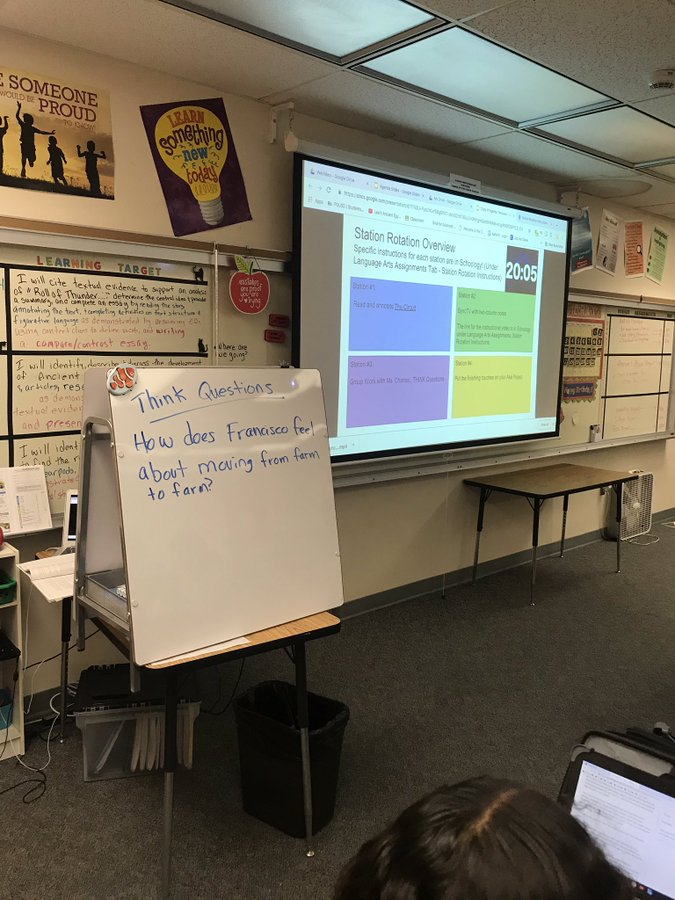
Blended Learning Spotlight: Rotation Stations

Looking for new ways to manage station rotations? Thanks, Cassie Simon at BMS, for passing this along from the Twitterverse.


 — Frank Pinheiro (@pinheiroplus) February 24, 2019