Showing posts with label Emojis. Show all posts

Tuesday, April 23, 2019

Station Rotations, Kiddom, Wheel Decide, Lunapic, Emoji Bullets

A Resource for Station Rotations

If you are looking for a fresh resource for skill practice in station rotations, check out Kiddom. Kiddom provides practice in all core areas and pulls from sources such as IXL, Flocabulary, Khan Academy, Newsela, and more. In my sample searches, I liked being able to search the site by skill to locate multiple options for practice rather than searching several sites individually. 

Wheel Decide: An alternative to learning menus


Add a little variety to your station rotations in the next couple of weeks by using Wheel Decide. This tool allows your students to select a station by spinning the customizable wheel. 

Editing Photos On Your Chromebook

'Tis the season of end-of-year slide shows. Harness the power of your Chromebook to make editing photos easy! Lunapic offers great tools to adjust photos, add borders, filters, special effects, and more. 


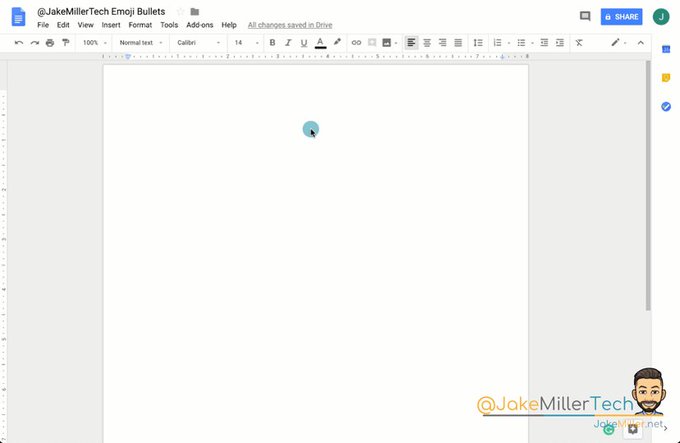
From the Twitter-verse: Emoji Bullets? Yes, Please!

Ok. This post won't transform instruction in your classroom or help you disaggregate data, but it is fun. And at this time of year, I'll take a little bit of fun!  #growingingeekiness

Check out Jake Miller's tips for making your hyperdoc or lesson plans a little more inviting using emoji bullets. Jake shares more tips and tricks here

Embedded video

Tuesday, August 14, 2018

Changes to Flipgrid; Canvas & Google Drive integration; Educational hashtag database; Emojis

Changes to Flipgrid

Near the end of last school year as part of their transition to new system security, Flipgrid required passcodes to enter grids. Starting August 1, when you create a new grid, you can allow students to access by student id or by email. You only have to edit your grid once; the changes will apply to all the topics in your grid. 

When you log in, click on the pencil to edit your grid: 


Then, make your selection for accessing the grid. If you select email, you will enter banderaisd2.net for the domain.


Canvas and Google Drive Integration

If you are teaching dual credit courses and using Canvas, our very own Mrs. Barnet discovered this summer that you can link your Canvas and Google Drive accounts to simplify managing content. "You can download all kinds of apps on Canvas, including Google. You can still store your stuff on your Google Drive, and link it to your Canvas. It still populates in your Files, but it is located in your Google files instead of your Canvas files." Awesome news for those juggling DC and AP students in the same class!

Twitter: On-going Professional Development


Social media has really blown the doors off on-going professional development in the last several years. Many of us belong to professional groups on Facebook and follow educators in our field on Twitter to get on-going PD on-demand and at our own pace. If you are looking to dip your toe into the Twitter PD pool or looking for some new PD, Kasey Bell of Shake Up Learning maintains an educational hashtag database that is searchable by topic, grade level, subject, and more. Need help getting started? Just email me.


Emojis


Sometimes using an emoji is the just-right way to communicate an idea. EmojiCopy provides a copy/paste interface to access our favorite emojis on a computer.

The emojis can be added to Google Slides/Docs to provide students choices for commenting on text, responding to literature, reflecting on learning, and more.